
HALODISC 2 Replacement Wheel Covers for Tesla | RTP - Black
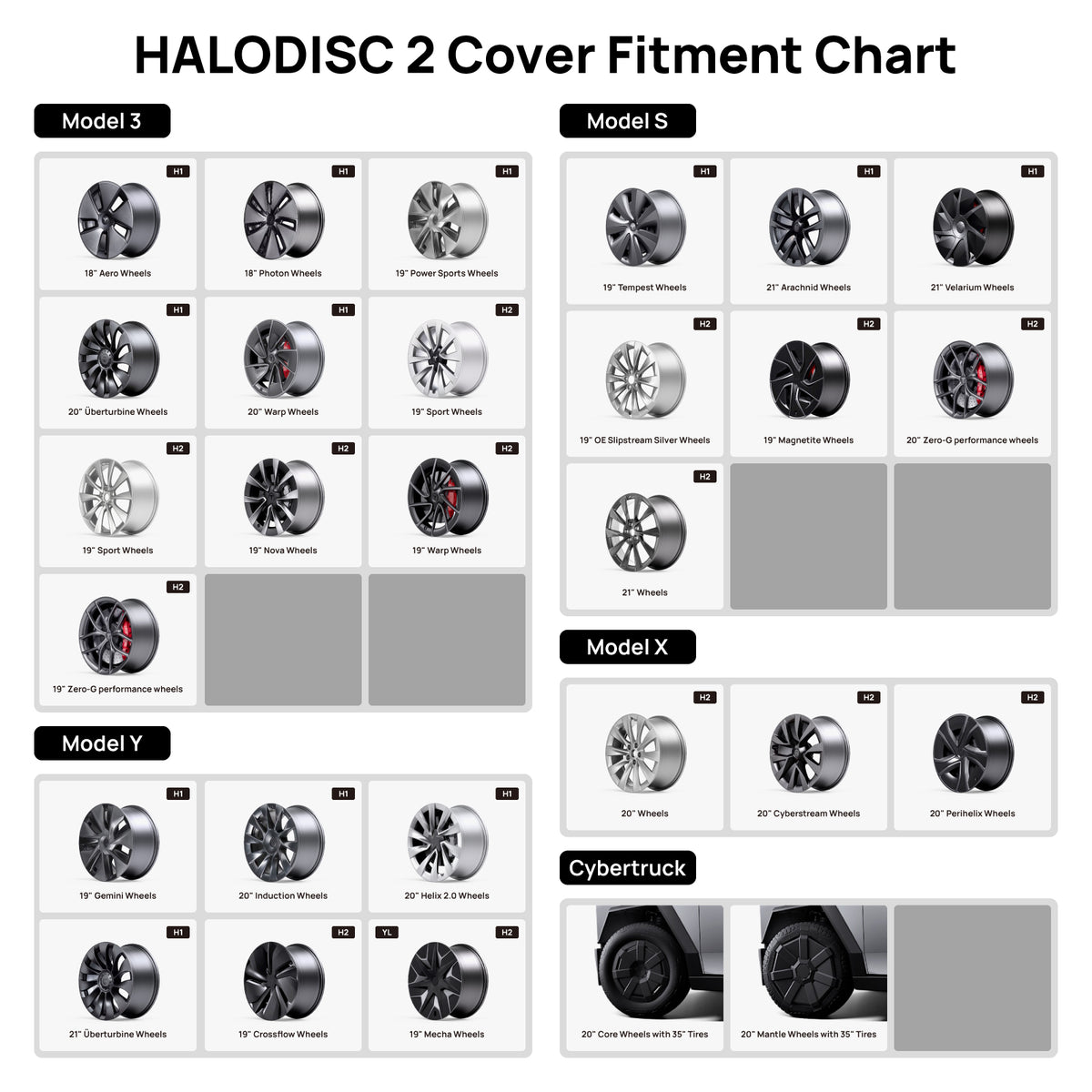
- Compatible with Tesla Model 3, Y, S, X | Fits 18, 19, 20, 21-inch Wheels.
- Not compatible with 2026 Model 3 Standard 18" Prismata Wheels, 2026 Model Y Juniper Standard 18" Aperture Wheels, or 2026 Model Y Juniper 21" Arachnid 2.0 Wheels.
Product Features
• Replacement Ready – Ideal for replacing a damaged or missing HALODISC 2 disc.
• Tesla Model 3/Y/S/X Fitment – Designed for selected Tesla applications.
• Disc Only – No center lock cap, hardware, tool kit, or other accessories included.
Need the Full Set Instead?
Includes wheel covers, center lock cap, hardware, tool kit, and more.




FAQ
Use this text to share information about your product or shipping policies.
1. Which Tesla models are compatible with RTP Black replacement wheel covers?
HALODISC 2 RTP Black replacement wheel covers are available for selected Tesla Model 3, Model Y, Model S, and Model X wheels in 18-inch to 21-inch sizes, depending on the configuration. The 2026 Model 3 Standard 18-inch Prismata, Model Y Juniper Standard 18-inch Aperture, and Model Y Juniper 21-inch Arachnid 2.0 wheels are excluded. Always verify your exact wheel size and design before ordering.
2. Can I buy just one RTP Black replacement wheel cover?
Yes. You can purchase a single RTP Black replacement disc or a set of four without buying a complete wheel cover kit. Select the correct Tesla model, wheel size, and RTP Black design to match your existing HALODISC 2 set.
3. What comes with the RTP Black replacement wheel covers?
This product includes replacement wheel cover discs only, available as one disc or four discs. Center-lock caps, mounting hardware, installation tools, and other accessories are not included. If you need a complete installation package, choose the full HALODISC 2 wheel cover set.
4. Can I reuse my existing center-lock hardware with a replacement wheel cover?
Yes, provided your existing HALODISC 2 center-lock components are complete, undamaged, and compatible with the replacement disc. The original center-lock hub and retaining ring are required for installation. If any mounting components are missing or damaged, contact HALOBLK support before installing the replacement cover.
🔥🔥🔥🔥🔥🔥🔥🔥
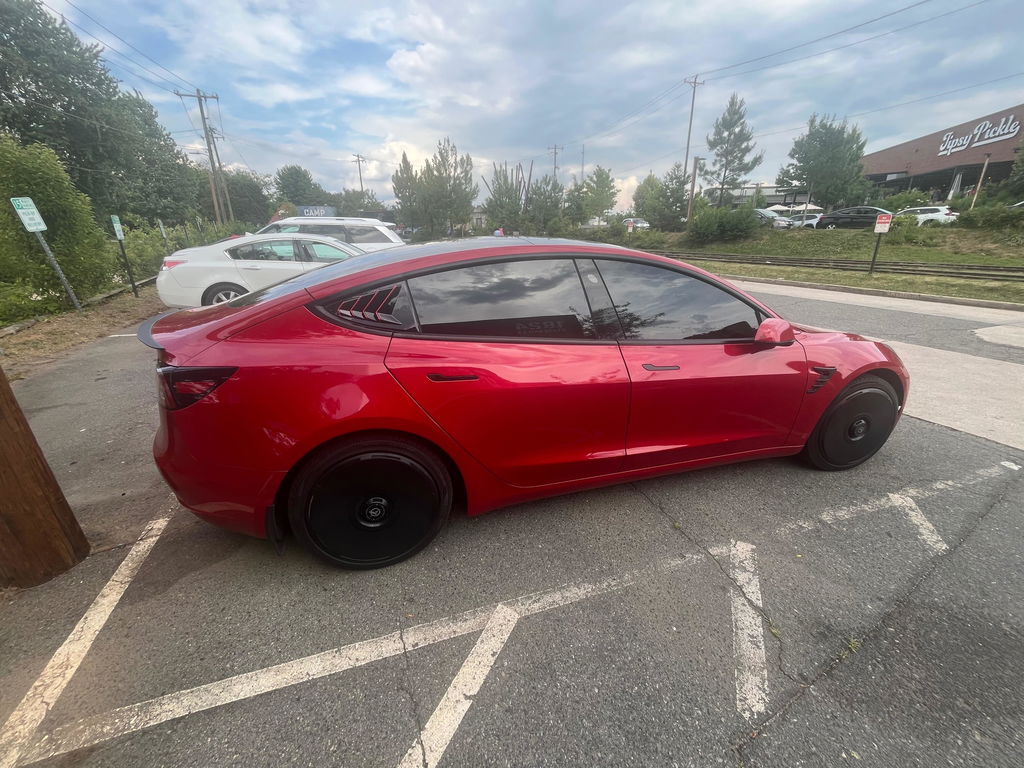
HALODISC 2 Replacement Wheel Covers for Tesla | RTP - Black
HALODISC 2 Replacement Wheel Covers for Tesla | RTP - Black
Great fit, easy to use
HALODISC 2 Replacement Wheel Covers for Tesla | RTP - Black
I needed another roll of wheel protection tape but I wanted to wait until I placed another order to ask for it. I sent an email and they said to just put comments in the order field. I followed their directions exactly, I requested the tape in the order form where the comments box is.
When the tape did not arrive I was told that I was supposed to put a comment in the order. I had done that.
They did not offer to send me the tape. They just acted like it was my fault and didn't believe me when I said I put the comment in.
Otherwise I like their products and their customer service. They dropped the ball on this.
I think they should have just put the tape in an envelope and send it to me.
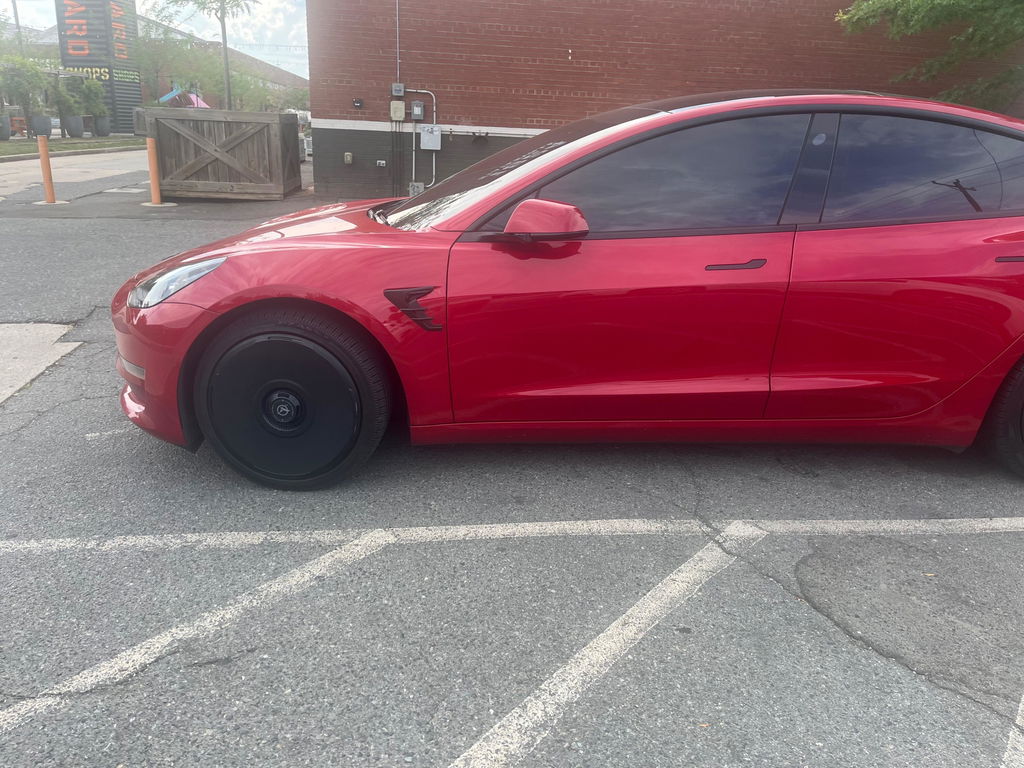
Legit gives about 10-15% range if you don’t drive aggressive. Worth it for the money imo and looks futuristic. Highly recommend.